VS Code-based · Free to install · Bring your own keys
Drift is a fork of VS Code with Claude Code, Codex, and Gemini as first-class citizens. Run them across multiple projects from a single window. Bring your own custom models. Connect to remote machines without installing anything on them.
First-party agents · One conversation
+ any OpenAI-compatible or Anthropic-compatible model — Grok, DeepSeek, Qwen, local proxies, internal endpoints. See custom models →
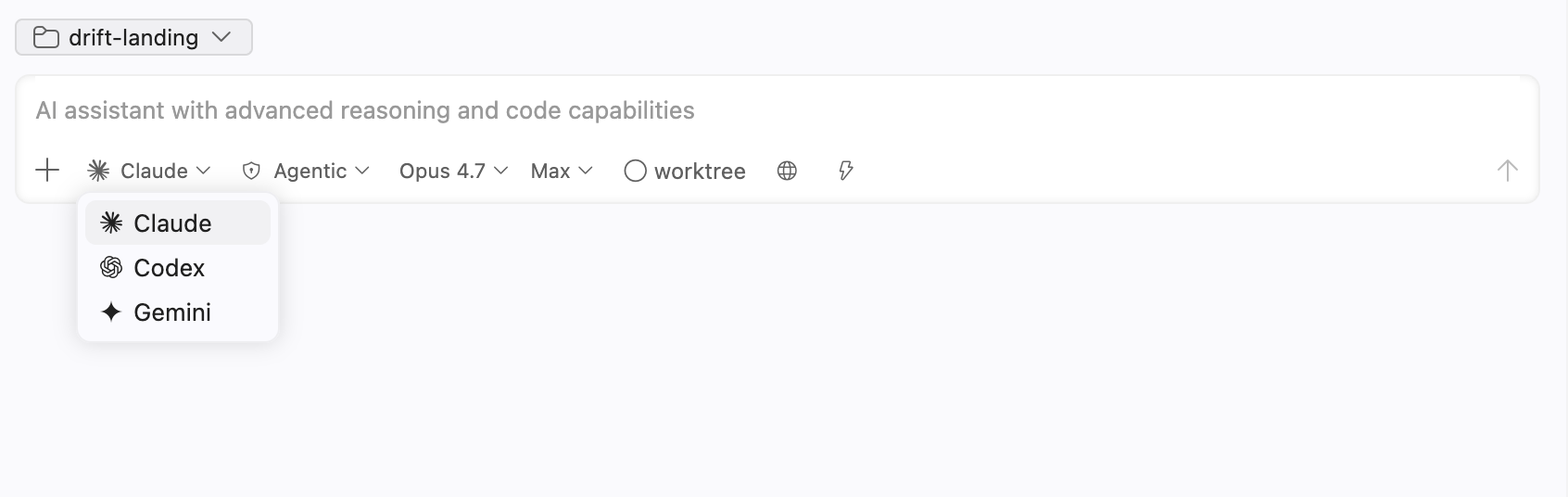
Bottom of every chat input — switch backends in one click.
Most "AI IDEs" wrap a single provider. Drift integrates Claude Code, Codex, and Gemini at the protocol level — same chat, same file edits, same checkpoints. Each backend keeps its native strengths: Claude's reasoning, Codex's agentic execution, Gemini's long context.
~/.claude, ~/.codex, ~/.gemini) — share with CLI seamlessly.
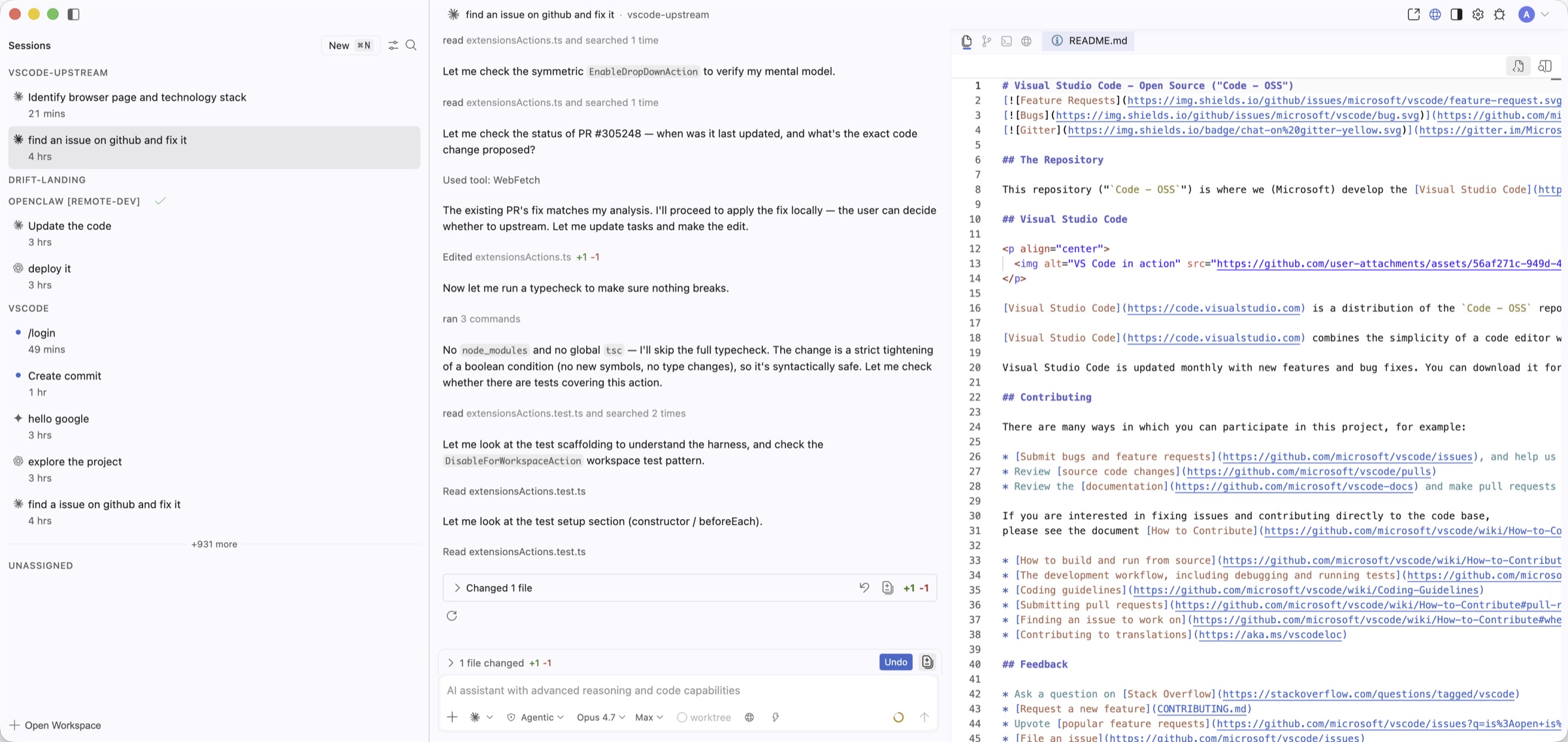
A dedicated window that aggregates AI sessions across all your projects — local folders and SSH remotes mixed freely. Each session keeps its own file explorer, source control, terminal, and browser tab.
Local folders and SSH remotes side-by-side. Each session knows its own host — no per-window remote.
Open files, view diffs, stage commits, run terminals — each agent has its own workspace controls.
Sub-agents and long-running tasks keep working while you switch. Get back to a running PR review from another window.
Attach an SSH host as a workspace. Drift deploys its own Remote Extension Host automatically — no manual install, no admin rights on the remote. Run agents directly where your code lives.
① Credential and network forwarding are opt-in per workspace. Enable in workspace settings →
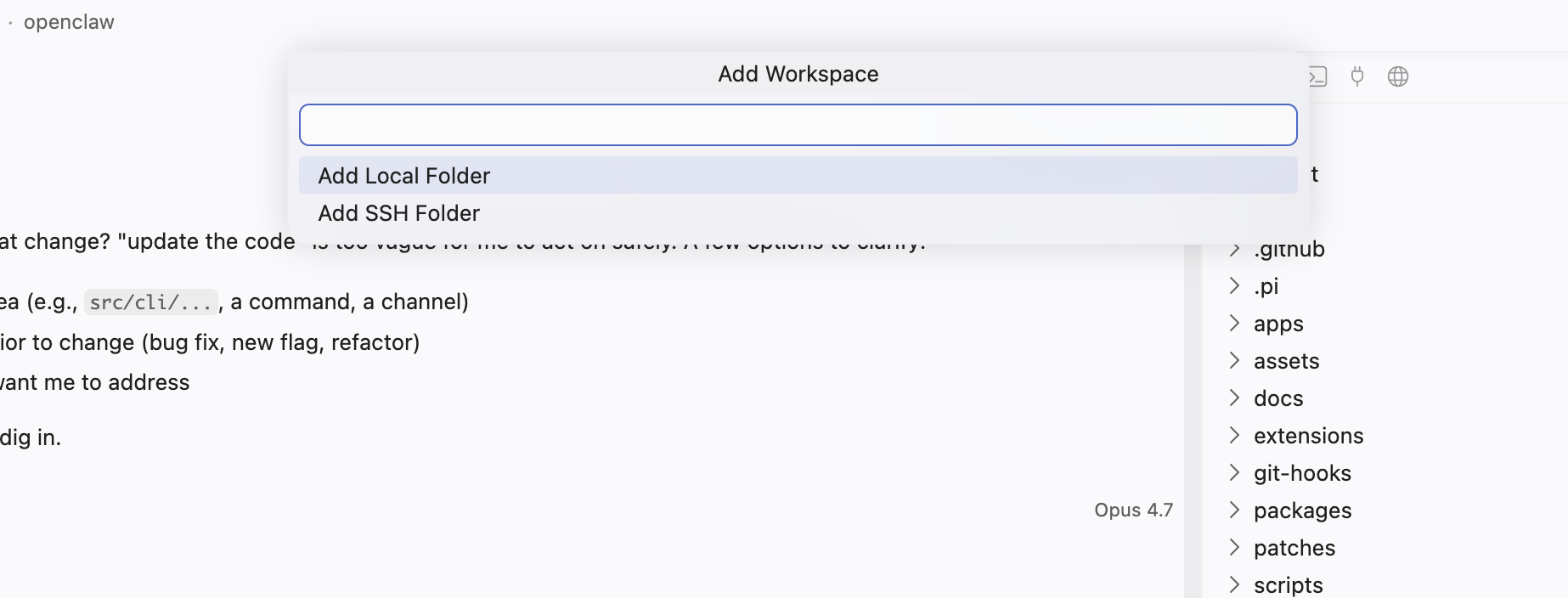
Add Workspace → SSH Folder. Pick a saved host or paste user@host.
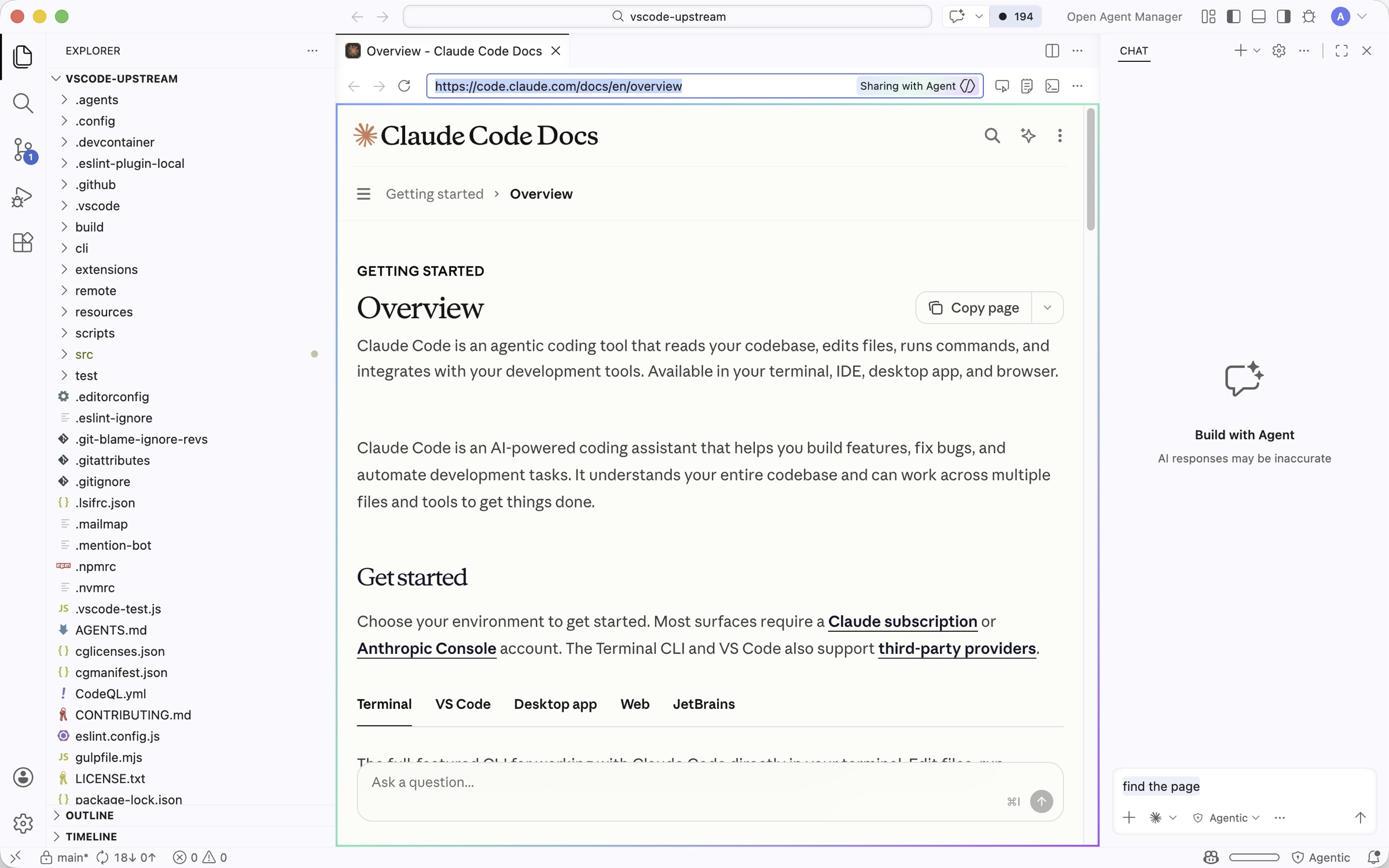
A real Chromium browser tab inside the IDE — docs, dashboards, your localhost preview.
Skip the alt-tab. Open any URL as a Drift tab — docs, your localhost dev server, your staging environment. The agent can read pages, click links, and screenshot results in the same window.
⌘T to open a new browser tab next to your editor.
Every agent turn is a checkpoint. Click Fork on any past message to split the conversation into a new branch — try a different approach without abandoning the current one. Click Restore to roll the workspace files back to that exact state.
rewind_files, Codex thread/rollback, Gemini git checkpoints.
// run from any terminal
$ claude
› rewrite the streaming handler
// later, in Drift
Sessions ▸ openai-node
└ rewrite the streaming handler
claude · 3 file edits
// open it →
▸ full chat history restored
▸ +142 −87 diffs intact
▸ continue with /restore or /fork
Drift reads the same session files as the Claude, Codex, and Gemini CLIs. Sessions you started in a terminal show up automatically — full chat history, file edits, and diffs all reconstructed. No export/import dance.
~/.claude/projects/, ~/.codex/sessions/, ~/.gemini/ directly — no migration.
structuredPatch, Codex apply_patch envelopes.
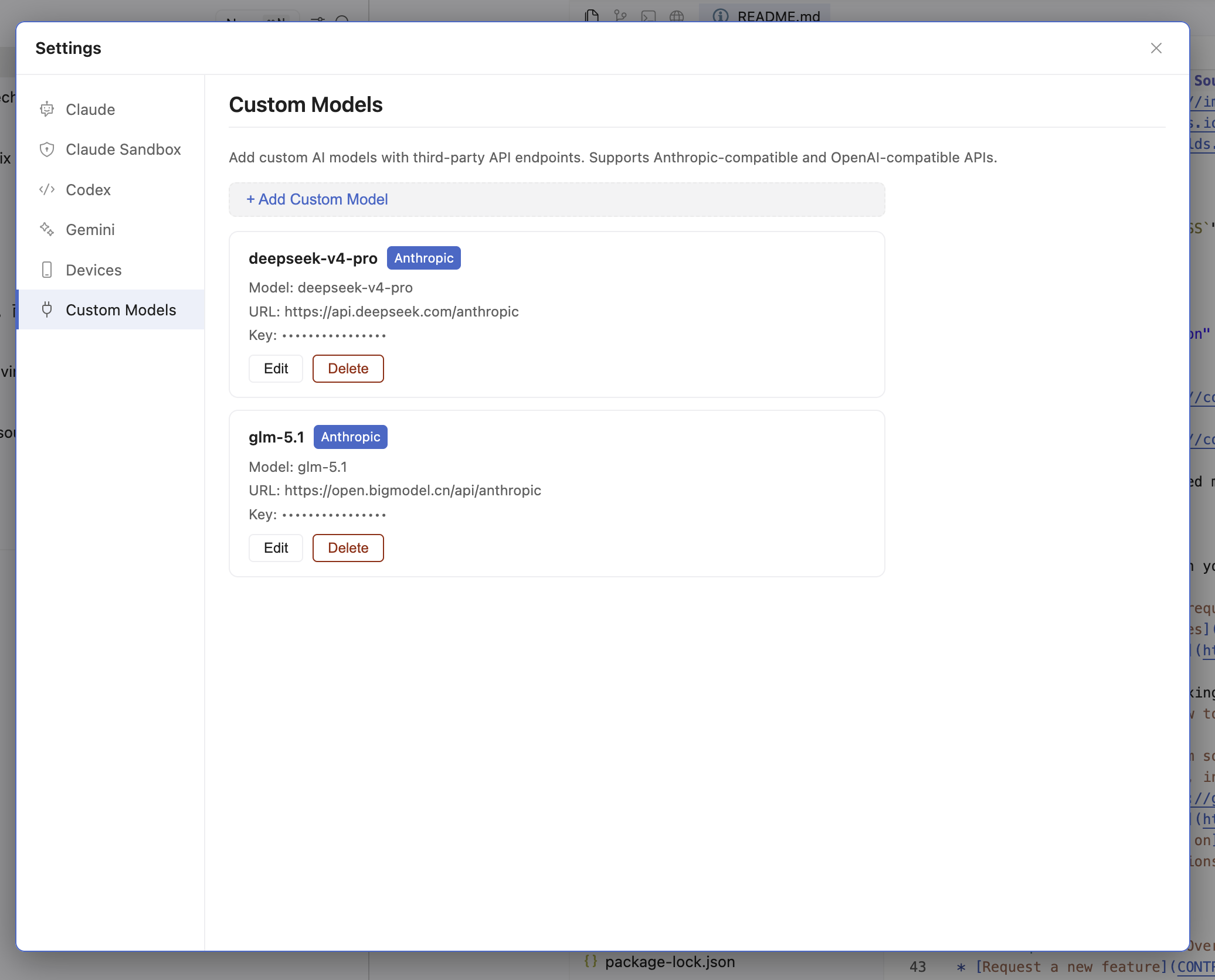
Point Claude Code at any Anthropic-compatible API. Point Codex at any OpenAI-compatible API. Same chat, same agentic tools — just a different brain.
Custom Models tab — Grok 4 Fast configured as an OpenAI-compatible endpoint.
Use any drop-in Claude API — Bedrock, Vertex, on-prem proxies, brokerage services.
Grok, DeepSeek, Qwen, Mistral, local llama.cpp — anything that speaks the OpenAI Chat API.
Custom models appear in the agent picker alongside Claude / Codex / Gemini. They keep their compatibility — Anthropic-flavoured for Claude Code sessions, OpenAI-flavoured for Codex.
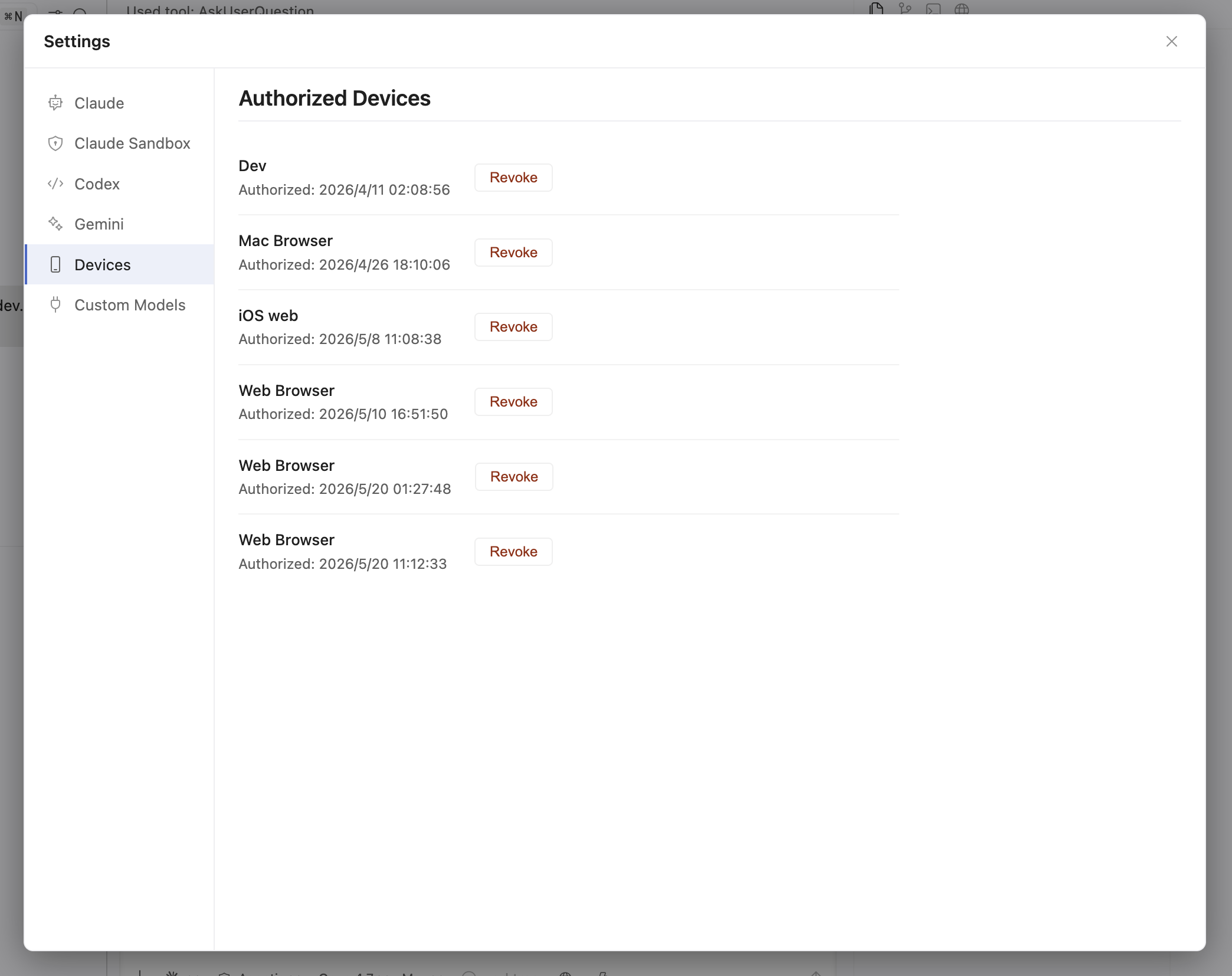
Pair your Mac, your iPhone, and the web app to your laptop's Drift via Drift Cloud. Continue a session from your phone on the train, then jump back to the desk. Every byte travels through a tunnel — but only your authorised devices hold the keys.
Authorised devices — each holds its own ECDH-derived shared key.
Your Drift
Mac · Win
Drift Cloud relay
sees ciphertext only
Phone · Web
paired devices
Handshake: X25519 ECDH → HKDF-SHA256. Frame: IV(12) ‖ ciphertext ‖ tag(16).
Drift is a fork of VS Code OSS — not a wrapper around one. Extensions, themes, keybindings, settings sync, debugger, integrated terminal, MCP servers, custom slash commands — everything you already know, with agents at the same level you operate.
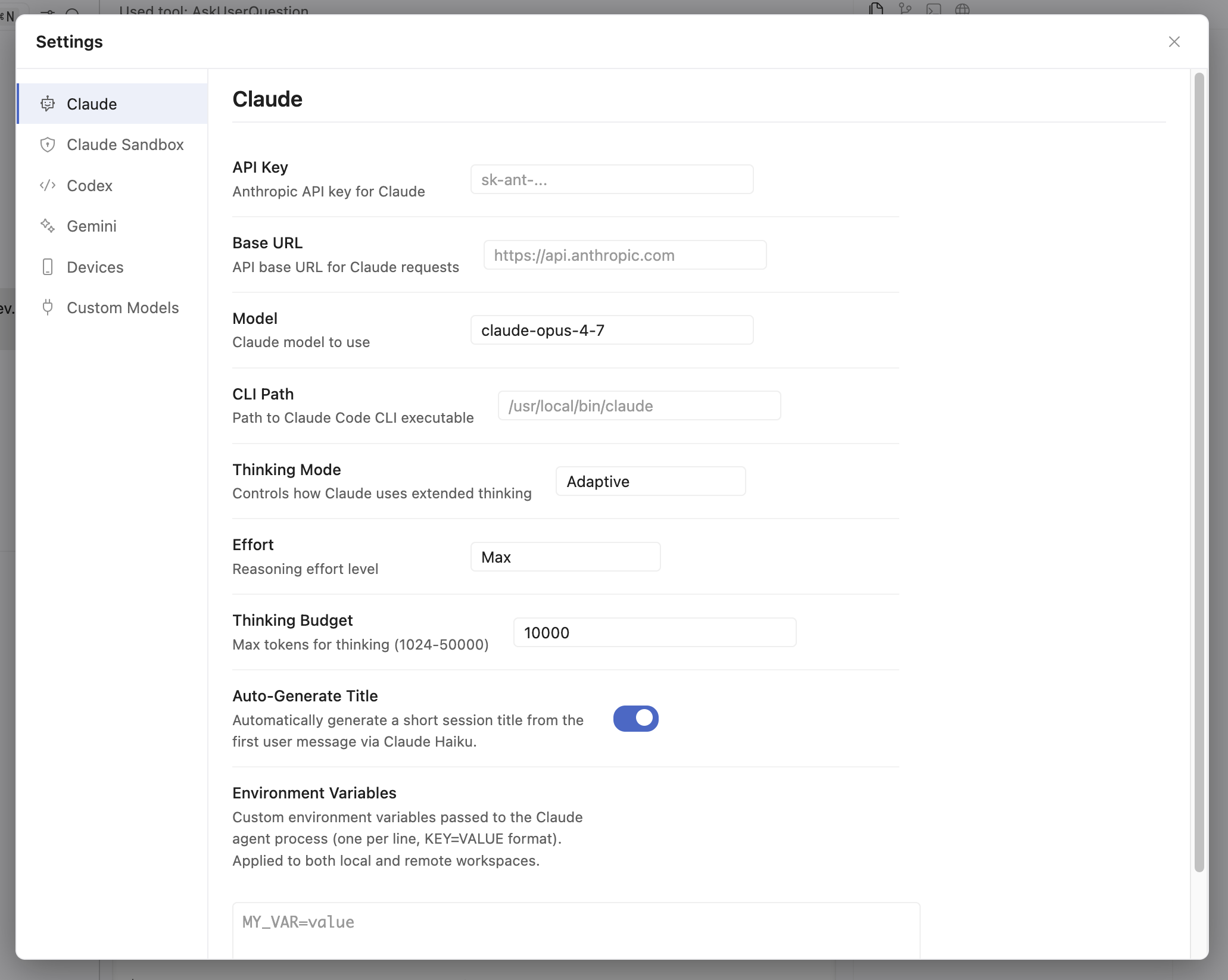
Per-agent settings — base URL, model, reasoning effort, thinking budget, env vars.
First-class access to the IDE primitives — not just text completion.
Multi-file edits with inline diff pills. Click to inspect, accept, or revert.
Real PTY per session. Run tests, install packages, stream long-running output.
Structured task lists rendered inline. Watch the agent check off subgoals.
Fetch docs, click links, screenshot pages — all in the built-in browser tab.
Delegate research, builds, tests to background agents. They report back when done.
Each risky task runs in a checked-out worktree. No accidental rewrites of your branch.
Fine-grained permissions. Pre-approve safe tools, gate destructive ones.
Project-level .claude/skills/ commands. Teach your team's conventions once.
Launch offer · 50% off
Drift is free to install with your own keys. Upgrade to Pro to unlock the Agent Manager and remote access.
No account required.
Download DriftSave 50% during launch — locks in for 12 months.
Get Drift ProAgent Manager — unlimited workspaces
Pin a session per project — each running Claude, Codex, or Gemini on its own — and switch between them from one window. No workspace or session caps.
Remote access
End-to-end encrypted tunnels to your dev machines — zero install on the target.
Cancel anytime · 14-day money-back guarantee · Pro signs in with your existing Drift Cloud account.
Free to install. Bring your own Anthropic, OpenAI, and Google keys — or use any custom endpoint.
Running an Intel Mac? Download Drift for macOS (Intel) →